Tutorial · 1 minScheduling on WhatsApp Web

How to schedule channel posts from WhatsApp Web

How to schedule posts to your channel from WhatsApp Web with Kaption. And plan a whole week of posts with Claude or ChatGPT.

In this video

Install Kaption, open Scheduled Messages, click Schedule a channel post, pick the channel, write and check the preview, choose when and schedule, follow it in the list (send now or cancel), and ask Claude or ChatGPT to plan and schedule a week of posts.

Step by step

  1. 01

    Install Kaption / Schedule a channel post / Pick the channel / Write and preview / Schedule

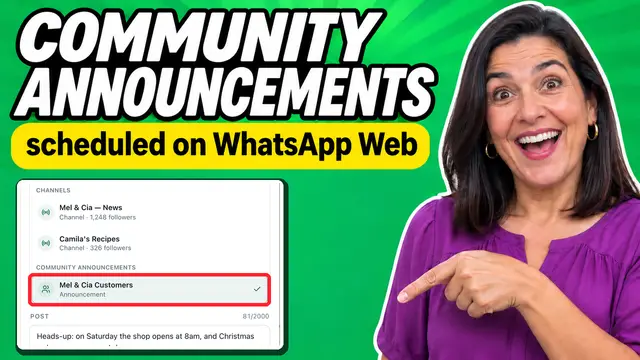
    Got a WhatsApp channel? You can schedule your posts, and they go out on their own, right on time. In this tutorial, you'll see how to schedule posts to your channel from WhatsApp Web with Kaption, and how to plan the whole week with Claude or ChatGPT.
  2. 02

    In the scheduled list

    Done! The post shows up in the list, with the Channel tag. You can send it now, or cancel it. It goes out from your WhatsApp, on this computer: at that time, keep WhatsApp Web open.

  3. 03

    With Claude or ChatGPT

    And to plan the whole week, ask Claude or ChatGPT: plan and schedule a week of posts for my channel. The assistant always asks you before it posts or schedules anything. That's it! Install Kaption from the link in the description, and keep your channel active.

Show the full transcript

Transcript

Intro / Install Kaption / Schedule a channel post / Pick the channel / Write and preview / Schedule (0:00)

Got a WhatsApp channel? You can schedule your posts, and they go out on their own, right on time. In this tutorial, you'll see how to schedule posts to your channel from WhatsApp Web with Kaption, and how to plan the whole week with Claude or ChatGPT. First, install Kaption from the link in the description, and open WhatsApp Web. Open Kaption's Scheduled Messages, and click Schedule a channel post. In the Where section, choose the channel. You see the channels you own, or that you manage. Write the post. Right below, you see the preview. Under When, pick the day and time, and click Schedule post.

In the scheduled list (0:43)

Done! The post shows up in the list, with the Channel tag. You can send it now, or cancel it. It goes out from your WhatsApp, on this computer: at that time, keep WhatsApp Web open.

With Claude or ChatGPT / Wrap-up (0:54)

And to plan the whole week, ask Claude or ChatGPT: plan and schedule a week of posts for my channel. The assistant always asks you before it posts or schedules anything. That's it! Install Kaption from the link in the description, and keep your channel active. If this video helped, subscribe to the channel.

Try it on your WhatsApp

Kaption is free to install. Plans and limits are on the pricing page. See pricing

See the feature page →
Transcribe one audio now