5 Best WhatsApp Business Chrome Extensions (2026 Compared)
Compare the 5 best WhatsApp Business Chrome extensions by real store ratings, see what each one solves, and try a free extension for support teams.
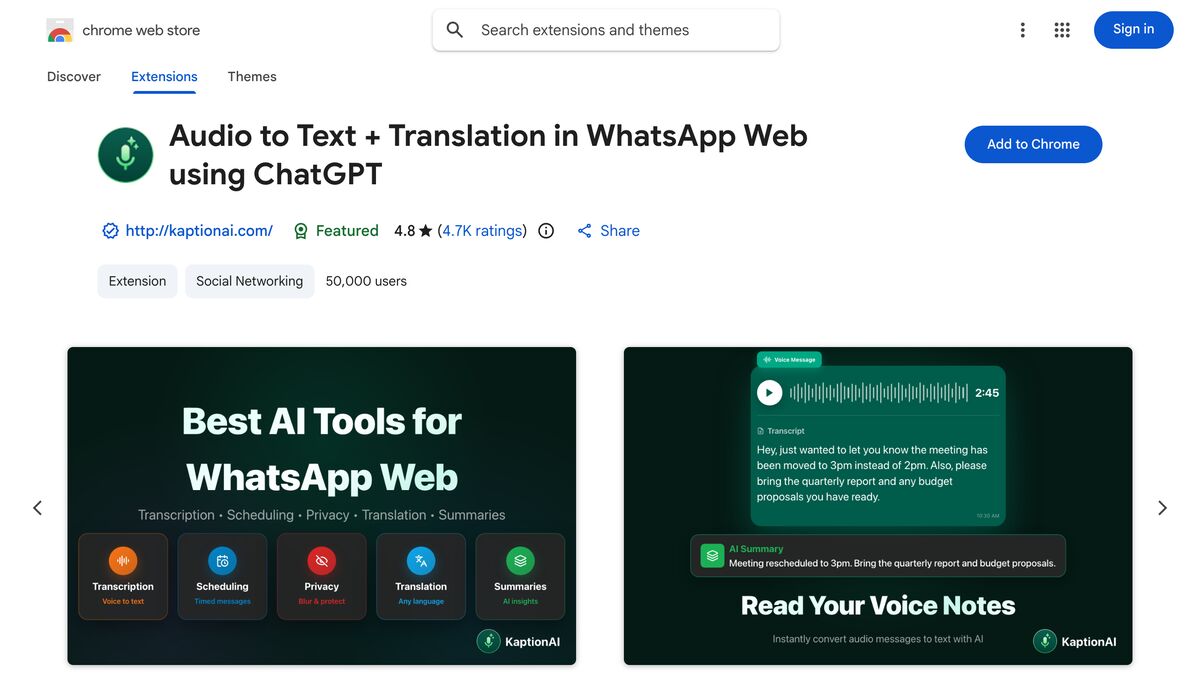
Kaption AI
The short answer for anyone who landed here looking for a WhatsApp Business extension: in the browser, very little changes. The WhatsApp Business app connects to web.whatsapp.com exactly like regular WhatsApp does — you scan the QR code under Linked Devices > Link a Device — and from there, any Chrome or Edge extension built for WhatsApp Web works the same way, because it acts on the open page, not on the account.
What changes is the need. Anyone handling customers needs specific things: transcribing incoming audio, scheduling a follow-up, never forgetting a callback, tagging a conversation, replying fast without retyping the same line for the twentieth time. Below are five extensions that cover those scenarios, with public numbers from the Chrome Web Store as of September 2026 — and one of them is ours, Kaption's WhatsApp Web extension, described under the same rules as the others.
Updated September 2026
WhatsApp Business in the browser is the same WhatsApp Web
It's worth understanding the terrain before installing anything. According to WhatsApp's Help Center, WhatsApp Business can be used on up to four linked devices at the same time, without needing the primary phone to stay online — but you do need to open the app on the primary phone at least every 14 days to keep the other devices linked. With Meta Verified, the limit rises to up to 10 devices, and you can assign conversations to specific agents.
Each of those devices can be a browser on a computer. That's where the extension comes in: it runs in the agent's browser, disappears when they close the tab, and never touches the account itself. That's different from the official WhatsApp Business API (the Cloud API), which is a server-side integration, approved by Meta, with dedicated numbers and a cost per conversation.
What a business actually needs
After watching plenty of people install seven extensions and end up using two, here's what tends to actually pay off in customer support:
Transcribing customer audio. The most expensive bottleneck of the day: every three-minute voice message is an agent stuck for three minutes.
Scheduled messages. Sending at the right time, not whenever you happened to remember.
Follow-up reminders. The callback that doesn't depend on a sticky note.
Tags, a pipeline or a kanban board. Knowing who's waiting on a reply and at what stage.
Quick replies. Text, audio and files ready to go, sent in one click.
Privacy on screen. A shared computer, a customer standing nearby, the screen visible to everyone.
No single extension does all of this well. The smart move is combining a conversation tool with an organization tool — or picking the one that solves your specific bottleneck.
The 5 best extensions for WhatsApp Business
The numbers below come from each store's public listing as of September 2026 (the Chrome Web Store rounds its user counts). They measure adoption and reported satisfaction, not absolute quality — use them as context, not as a verdict.
Extension
Solves
Store users
Rating
Best for
Kaption AI
Transcription, summaries, translation, scheduling and reminders
50,000
4.8 from more than 5,000 reviews
Anyone getting a lot of customer audio
WA Web Plus
Privacy, utilities and interface tweaks
2,000,000
4.6 from 51,200 reviews
Anyone who wants several features in one tool
waTidy
Kanban CRM, quick replies, scheduling
20,000
4.7 from 350 reviews
Portuguese-speaking sales teams
Agendor CRM
Saving conversations and deals to a CRM
20,000
4.8 from 19 reviews
Anyone already using Agendor
Blueticks
Scheduling, campaigns and an AI agent
70,000
3.1 from 404 reviews
Anyone who needs bulk scheduled sending
Every store listing shows the same public data: rating, number of reviews and installs — worth checking on each extension in this list.
Kaption AI — when the problem is the audio
Kaption transcribes voice messages right inside the open conversation on WhatsApp Web: you click, and the text appears within seconds, in the language the audio was recorded in. It also summarizes long conversations, suggests AI replies, translates in real time, schedules messages, sets reminders on specific messages, and has a privacy mode (blurs chats and contacts) and a password screen lock — two features that make a real difference at a shared desk or computer.
What it isn't: a CRM. No kanban board, no pipeline, no sales report. And it's a browser extension, not an integration with the official WhatsApp Business API — it works with whichever account is signed into that tab, regular WhatsApp or Business, and it doesn't connect to Cloud API numbers.
Installing it is free, on Chrome and Edge, with no credit card. The optional Basic and Pro plans include unlimited transcriptions, unlimited translation sessions, smart transcription and more scheduled messages. On data: the extension acts only on WhatsApp Web, your history stays in encrypted storage on your own device, no message content is stored on Kaption's servers, and audio sent for transcription is discarded as soon as the text comes back.
WA Web Plus — the most installed in the category
With 2,000,000 users and a 4.6 rating from 51,200 reviews, it's the most widely adopted WhatsApp Web extension of the five. Its store listing sums up the pitch: adding tools and options to WhatsApp Web with a focus on privacy and convenience. It's a solid fit for anyone who wants interface tweaks and privacy features without building out a full support workflow.
waTidy — a CRM built for the Portuguese-speaking market
Its store listing describes a kanban CRM with quick replies (including audio and media), message scheduling, reminders, reports, and API and webhook integrations. The interface is in Brazilian Portuguese, it has 20,000 users and a 4.7 rating from 350 reviews, and the listing shows in-app purchases. It's the most "sales system"-like option on this list — including bulk sending, a feature that calls for caution (more on that below).
Agendor CRM — for anyone who already has a CRM
It does one thing and does it well: connecting WhatsApp Web to Agendor. The official description states the extension is free and available to all Agendor customers at no extra cost. You can create contacts, link a number to an existing record, save the conversation history (audio included), and open deals right from the chat. It only makes sense if Agendor is your CRM — but if it is, this is about as direct an integration as it gets. If you're still figuring out your process, this guide on how to set up a WhatsApp CRM without paying thousands can help you decide.
Blueticks — scheduling and campaigns, with a caveat
The store listing advertises a message scheduler, recurring messages, bulk campaigns from lists or CSV files, and an AI agent to answer frequently asked questions. It has 70,000 users, but the lowest rating on this list: 3.1 from 404 reviews. The same caveat applies here as with any bulk-sending tool: high-volume sending to people who never asked to be contacted is the behavior most likely to get a business number blocked.
Extension or the official WhatsApp Business API?
An extension solves the agent's work on screen: turning audio into text, replying fast, remembering to follow up, organizing what's pending. It doesn't survive the computer being switched off, doesn't integrate with your ERP, and doesn't automatically route conversations across ten people.
The official API (Cloud API) solves the other side: server-side automation, chatbots, sends using approved templates, multiple agents inside one platform, integrations. It costs per conversation and requires Meta's approval.
The common mistake is trying to turn an extension into a full support platform. If you have up to four people handling chats (or ten with Meta Verified) and the volume fits inside regular WhatsApp Business, an extension is the cheap, immediate answer. If you need queuing, routing, SLAs and reporting, you're really talking about a platform.
How to choose without putting your number at risk
Three practical filters, in order:
1. Start from the bottleneck, not the feature list. If your team loses an hour a day listening to audio, transcription pays for itself on its own. If sales slip through from missed follow-ups, a kanban board solves more.
2. Read the privacy policy before the price. Three questions: do messages stay on your device or go to a server? What's kept, and for how long? Is the content used to train models? If the answer isn't written on the store page or in the privacy policy, assume the worst answer — especially when the number is a business line and the conversations belong to customers.
3. Stay away from bulk sending on your main number. WhatsApp can suspend the account, block the number or restrict features. No extension eliminates that risk — the serious ones just minimize it, by avoiding aggressive automation. If your business depends on campaigns, that belongs on the official API, with approved templates.
Frequently asked questions
Does a Chrome extension work with WhatsApp Business?
It does. The WhatsApp Business app connects to web.whatsapp.com as a linked device, and the extension acts on that page — it doesn't know or care whether the signed-in account is regular WhatsApp or Business. What doesn't exist is an extension that talks to the official WhatsApp Business API: that's a different category of product entirely.
What's the best CRM extension for WhatsApp Business?
It depends on where your data already lives. If you already use a CRM, the best extension is usually that CRM's own — Agendor's, for example, saves conversations and deals straight into the platform and is free for its customers. If you don't have a CRM at all, an extension with a built-in kanban board, like waTidy, saves you from juggling two tools.
Can several agents share the same number?
They can, within WhatsApp's own limits: up to four devices linked at once, with the primary phone opened at least every 14 days. With Meta Verified, that's up to 10 devices, and conversations can be assigned to specific agents. Each agent installs the extension in their own browser, individually.
Does a WhatsApp Business extension work on a phone?
No. Extensions run in desktop browsers — mainly Chrome and Edge. On a phone, what exists is the WhatsApp Business app itself, with its native features like labels, a catalog and quick replies.
Can using an extension get a business number banned?
The risk depends on the tool's behavior. Bulk sending and aggressive automation are what draw WhatsApp's attention the most, and the consequences range from restricted features to a permanent ban. Extensions that read, transcribe, organize and schedule messages one at a time are designed to reduce that risk, but no tool can eliminate it entirely: the rules belong to WhatsApp, and the number's owner is the one who answers for them. If comparing two specific options helps, we have a head-to-head between Kaption and WA Web Plus.